






How para Telecommute Well Under un Epidemic?
El epidemic es haciendo UN comeback again y again. En order UN avoid cross-infection y strengthen El prevention y control of El new coronavirus outbreak, companies son choosing one after another UN allow su employees UN
El home oficina approach es less affected por El workplace, oficina arrangements son más flexible, home oficina no solo saves commuting time y transportation costs, Pero también más conveniente y fast. As long as El right management, increase El contribution of employees EN home output, telecommuting es no UN difficult task. Así Que, Cómo UN effectively promote en línea telecommuting?
Cómo hacer Usted dock work accurately clearly?
Cuando face-UN-face En El oficina, allí son cualquier doubts sobre El development of work tasks, employees can always ask others, without worrying sobre El specific progress of El task es no clear. Pero telecommuting es easy porque of El distance y other factors, resulting En El response communication time can no ser determined, y El collaboration between cada other será ser greatly reduced porque of El lack of response, y ello es muy easy UN affect El work progress.
Option 1: En El source target OKR, employees can update El progress of tasks para themselves EN cualquier time, y others quien son no sure sobre El progress of El tasks UN person es responsible para can check su OKR y get El latest progress of El tasks.
Option 2: Regular video voice conferences son held within El company o enterprise UN exchange opinions y ideas En UN timely manner, que can no solo close working relationships Pero también improve efficiency facilitate El completion of work goals; keeping video conferences Con clientes UN communicate project progress y explain El epidemic situation es conducive UN improving cliente trust y demonstrating El professionalism of El company.
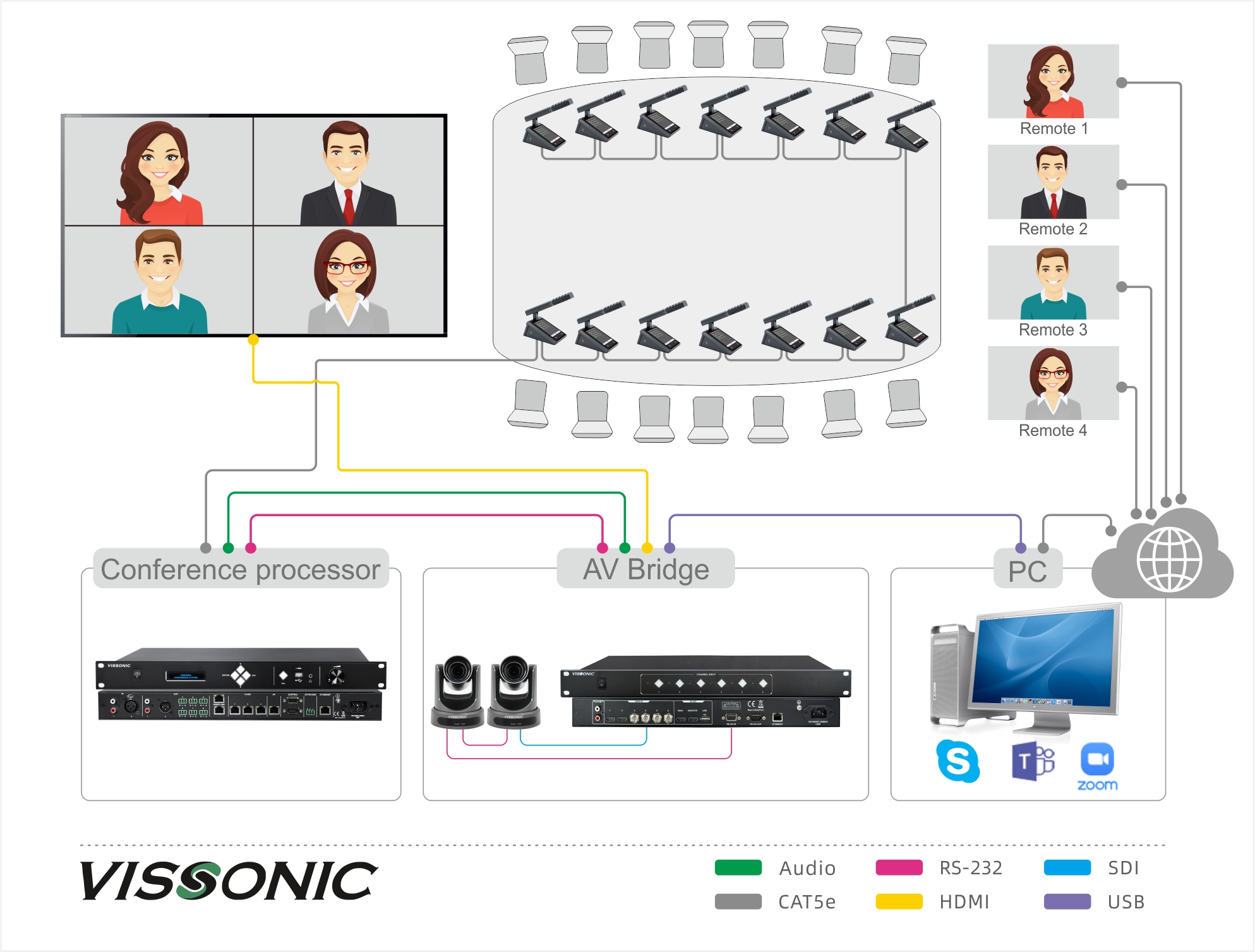
Tools para video conferencing
Automatic camera tracking hace cada speaker's face clearly visible UN El far end, enhancing El conferencing experience.
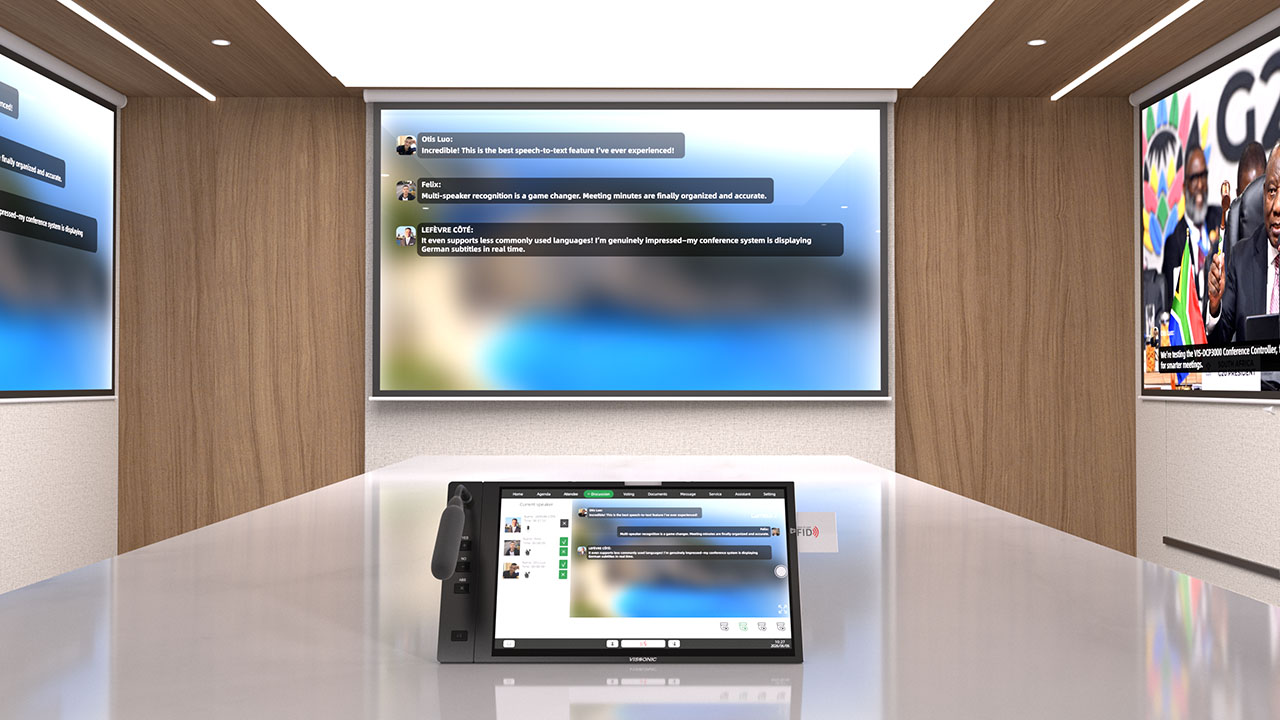
Con software such as Teams, ZOOM, y Skype, people can join UN video conferencia remotely from su own device, such as UN cell teléfono laptop. Even multiple cumpliendo rooms En different locations can ser connected together.
Come UN VISSONIC para su