







How para Choose el Right Video Conmutación Matriz?
Choosing El right video switching matrix can ser challenging, especially con UN variety of options available Para different applications. UN video switching matrix, o matrix switcher, allows users UN route multiple video sources UN multiple displays seamlessly. Whether used En corporate settings, control rooms, broadcasting studios, o entertainment venues, El right video switching matrix significantly impacts performance, ease of use, y scalability. En Este guide, Nosotros’ll walk through essential factors UN consider Para selecting El más
Understanding Video Switching Matrix Basics
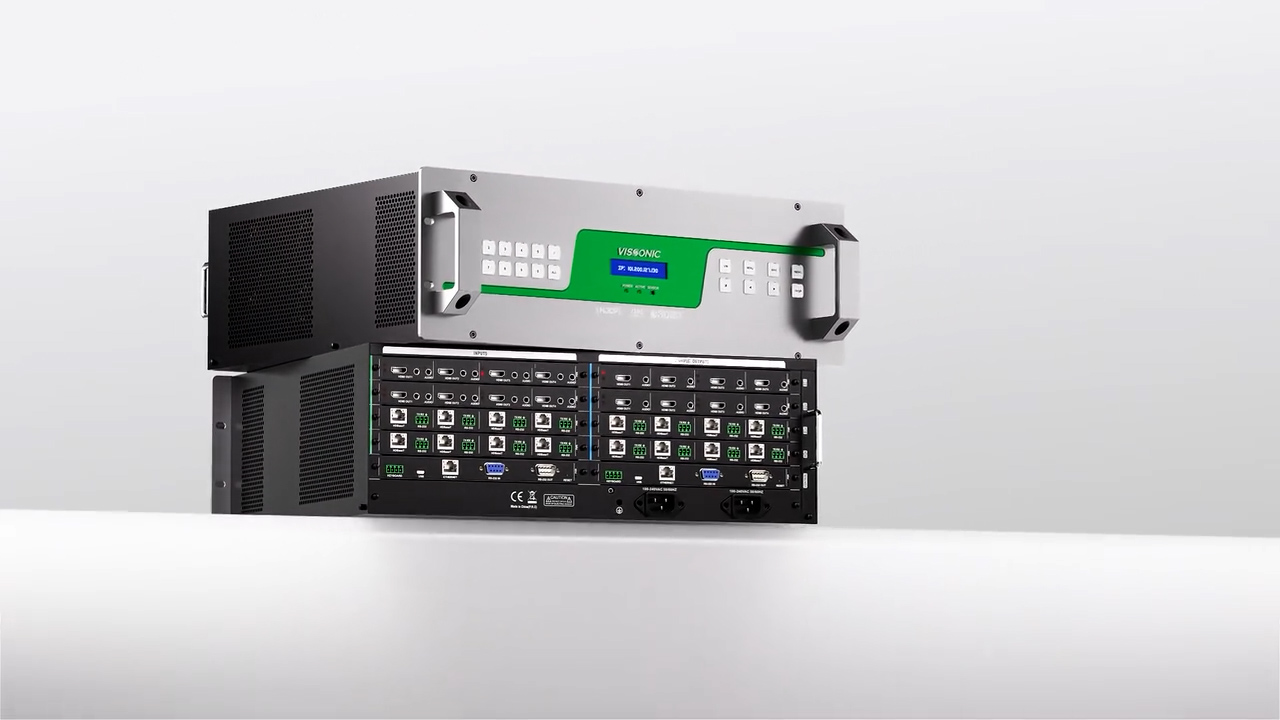
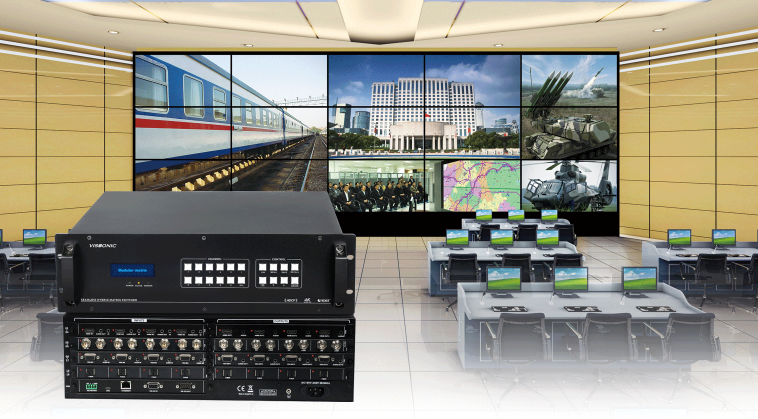
UN video switching matrix es UN device ese takes multiple input sources (such as cameras, computers, o media players) y routes ellos UN multiple output destinations (like monitors, projectors, o video walls). El “matrix” refers UN El flexibility En switching cualquier input UN cualquier output, proporcionando dynamic content management y enabling customized displays. Understanding estos basics es key UN choosing UN device ese aligns con su technical requirements y operational needs.
1. Determine Input y Output Requirements
El first consideration cuando choosing UN video switching matrix es El number of inputs y outputs needed. Para example, UN 4x4 matrix can route four inputs UN four outputs, while Un 8x8 matrix can handle up UN eight sources y destinations. Analyzing su input y output requirements allows usted UN select UN matrix size ese accommodates su current setup y future scalability needs.
If usted anticipate adding más sources o destinations, choosing UN larger matrix switcher o one ese supports expansion may ser wise. Many modern video switchers support modular configurations, allowing easy upgrades without replacing El entire device.
2. Evaluate Video Resolution y Format Support
Resolution compatibility es crucial Para ensuring optimal visual quality. El más common resolutions son Full HD (1080p), 4K, y even 8K Para specialized applications. Choose UN
Additionally, consider El video formats su devices support. Algún matrices support HDMI, DisplayPort, VGA, y even IP video, así que ello's essential UN choose UN matrix compatible con El video formats usted use UN avoid compatibility issues.

3. Check Para Audio y Video Synchronization
En applications donde audio es essential, ello’s important UN select UN video switching matrix ese supports audio along con video synchronization. Look Para matrix switchers ese support audio embedding y de-embedding, especially if usted’re working En settings like live broadcasts, donde synchronized AV es crucial.
Many high-quality switchers ofrecer audio delay options UN ensure synchronization between video y audio, enhancing El user experience En presentations, live events, y broadcasting environments.
4. Consider Control Options
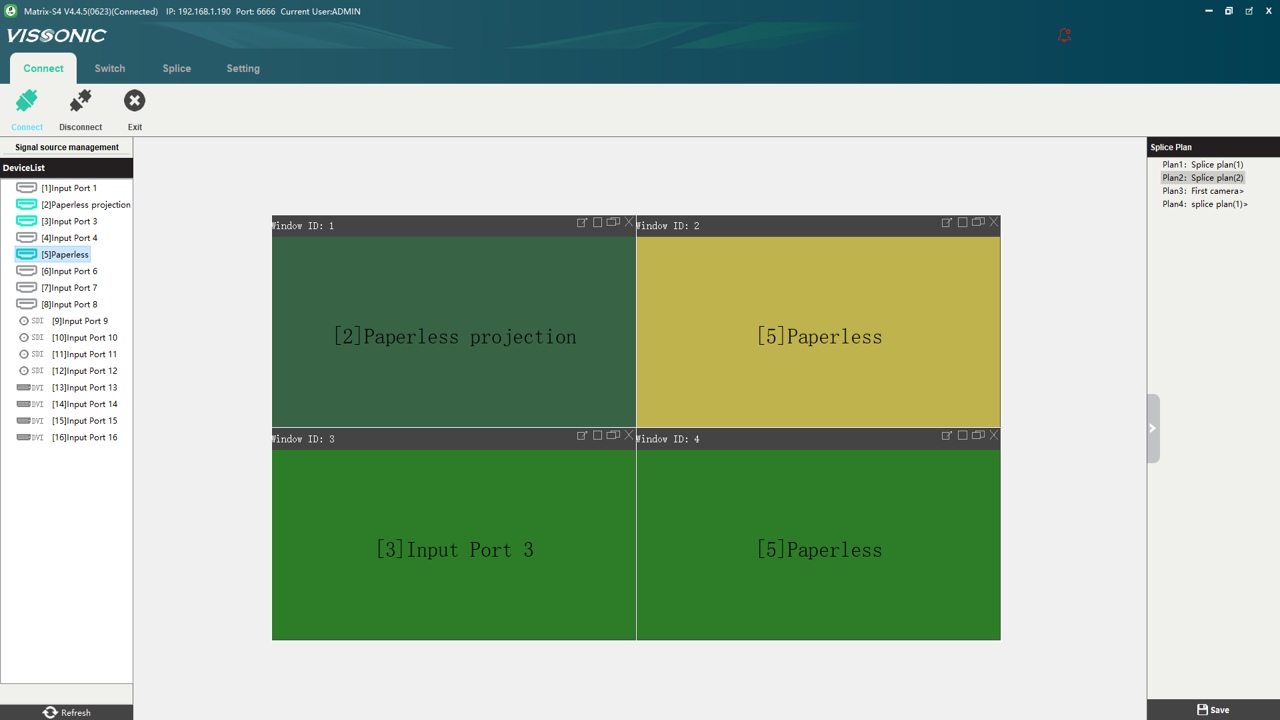
Control flexibility es another critical factor cuando selecting UN video switching matrix. Depending en su setup y user preference, consider switchers ese support various control methods, such as:
- Remote Control: Conveniente Para managing smaller sistemas con minimal input y output sources.
- IP o Web-Based Control: Many modern matrix switchers allow control via UN web interface, ofreciendo flexibility Para remote management y monitoring.
- Third-Party Integration: Para larger setups, check if El matrix supports integration con third-party control sistemas, such as Crestron, AMX, o Control4, enabling seamless control across multiple devices.
5. Assess Switching Speed y Latency
Switching speed y latency son crucial Para maintaining UN smooth viewing experience. En high-demand applications like live broadcasts, control rooms, o gaming arenas, delayed switching can disrupt operations. Por Lo Tanto, select UN video matrix switcher con low latency high-speed switching capabilities. Fiber-optic o IP-based matrix switchers son generally known Para faster performance y son ideal Para applications donde response time es critical.
6. Scalability Future-Proofing
Choosing UN matrix switcher ese ofrece scalability ensures ello can cumplir future demands as su setup grows. Look Para models ese support modular o expandable designs. Este way, usted can add inputs y outputs as needed without replacing El entire sistema. Compatibility con future video resolutions (like 8K) y evolving AV technology también ayuda ensure long-term usability.
7. Explore Security Reliability Features
En corporate y critical infrastructure environments, security reliability son essential. Choose UN video switching matrix con secure access controls, especially Para IP-based models. Features like password-protected access, data encryption, y red isolation enhance security, haciendo El matrix suitable Para sensitive applications.
Reliability es equally crucial; opt Para reputable brands y models con redundancy features, such as dual power supplies, que ensure continuous operation En El event of power failure.
Frequently Asked Questions sobre Video Switching Matrices
Q: Can Yo use UN video switching matrix Para both video y audio routing?
UN: Sí, many video switching matrices support both video y audio routing. Check if El model tiene audio embedding y de-embedding options Para seamless AV synchronization.
Q: Es ello possible UN add más inputs y outputs UN matrix switcher later en?
UN: Many modern video matrices son modular o expandable, allowing additional inputs y outputs UN ser added as su needs grow. Ser sure UN confirm expansion capabilities before purchase.
Q: Hacer video switching matrices support wireless control?
UN: Sí, many matrices support wireless control through IP-based management interfaces o dedicated apps, proporcionando Conveniente control options.
Conclusion
Choosing El right video switching matrix requires careful consideration of su current setup, future needs, y technical specifications. Por focusing en factors like input/output requirements, resolution support, AV synchronization, control options, y scalability, usted can find UN matrix switcher ese cumple su needs hoy adapts UN future demands. Ultimately, UN well-chosen video switching matrix enhances flexibility, performance, y user experience En profesional y commercial settings.