





VISSONIC_DSP_Wi-Fi_Wireless_CLEANCON-W_V1_Series-Datasheet-V1.1.pdf
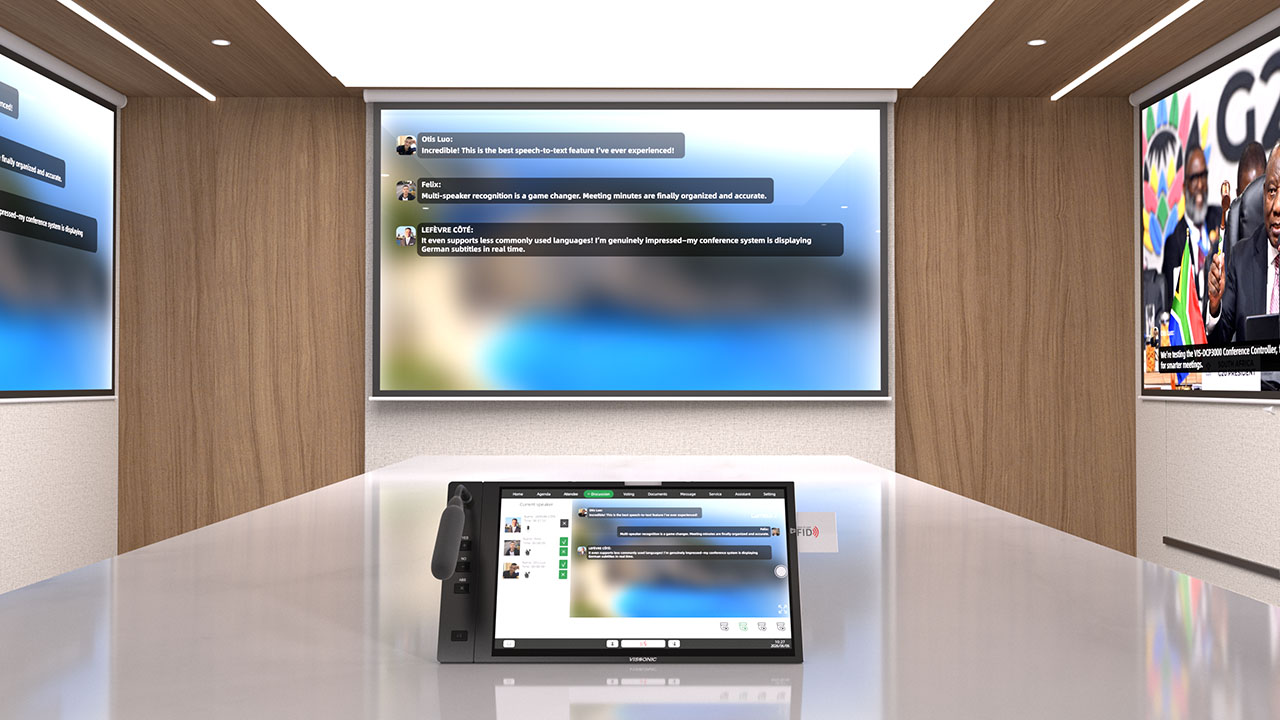
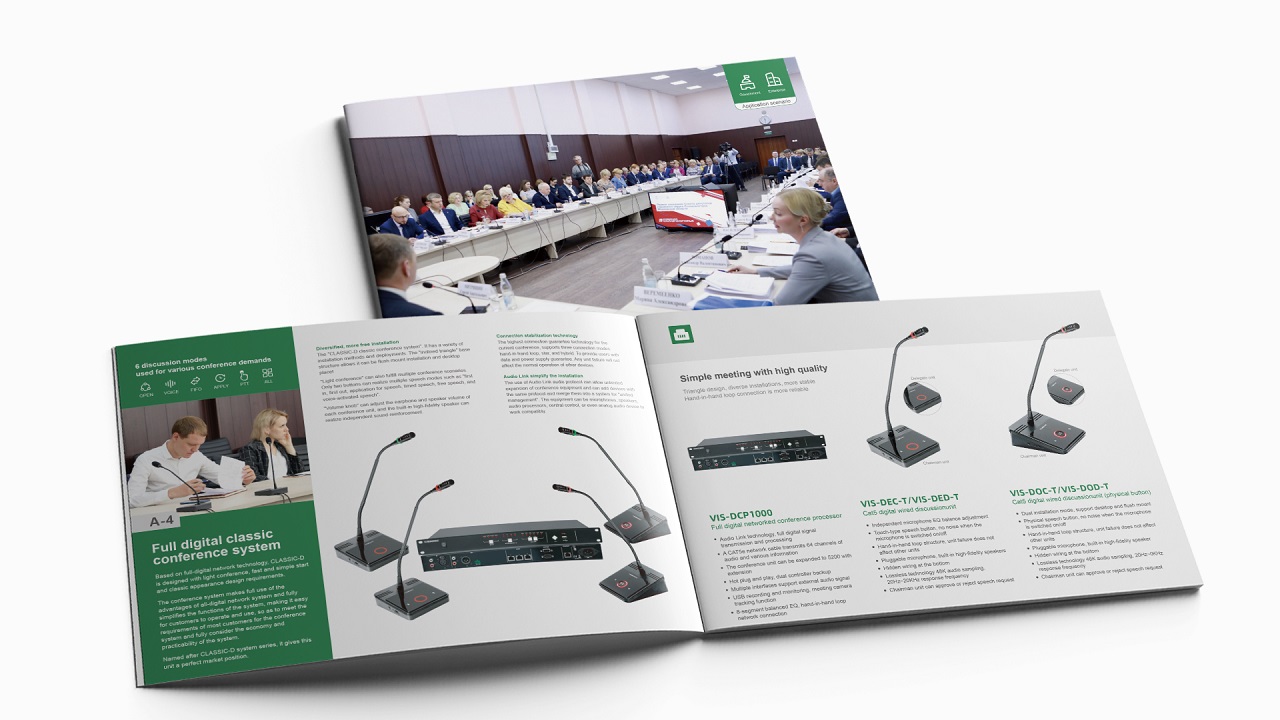
The VIS-DCP2000-W fully digital network DSP conference processor adopts AUDIO-LINK digital loop network technology for fully digital signal transmission and processing, supporting up to 64 channels of audio and control signals. The system is compatible with both wired and wireless conference units, allowing flexible expansion across multiple meeting rooms, with support for chairman priority, multi-role permission management, and speaking mode settings. Built-in high-fidelity audio processing includes EQ, noise gate, automatic gain control, automatic feedback suppression, and mixing functions, along with echo cancellation, simultaneous interpretation, and camera auto-tracking support. It also supports USB recording, PC software control, and Dante output expansion, providing a highly reliable and scalable solution for large-scale, multi-room, and professional conference applications.
1. System overview
.............................................................................................................................8
1.1
System features
.....................................................................................................................8
1.2
System composition
............................................................................................................11
2.
Conference controller
...................................................................................................................
13
2.1 VIS-DCP2000-D/W conference controller ........................................................................ 13
2.1.1 Features and interfaces ............................................................................................ 13
2.1.2
Installation
...............................................................................................................
15
2.1.3 Connection
...............................................................................................................15
2.1.3.1 Connecting the power supply .......................................................................15
2.1.3.2 Connecting audio inputs ...............................................................................16
2.1.3.3 Connecting audio outputs .............................................................................16
2.1.3.4 Connecting the conference controller .......................................................... 17
2.1.3.5 Connecting conference units ........................................................................ 17
2.1.3.6 Connecting an AP (only for VIS-DCP2000-W) ...........................................18
2.1.3.7 Connecting for camera tracking ................................................................... 18
2.1.3.8 Connecting the PC software .........................................................................20
2.1.4 Settings and usage ................................................................................................... 21
2.1.4.1 Menu and operations .................................................................................... 21
2.1.4.2 Setting MIC mode ........................................................................................ 28
2.1.4.3 Setting DSP .................................................................................................. 29
2.1.4.4 Setting audio zones .......................................................................................31
2.1.4.5 Setting recording .......................................................................................... 34
2.1.4.6 Setting conference unit .................................................................................35
2.1.4.7 Setting interpreter unit ..................................................................................37
2.1.4.8 Setting camera tracking ................................................................................38
2.1.4.9 Setting network address ............................................................................... 41
2.1.4.10 Setting POE speaker ...................................................................................41
2.1.4.11 Setting system configuration ...................................................................... 43
2.1.4.12 Setting wireless communication (only for VIS-DCP2000-W) .................. 44
2.1.4.13 Setting debug configuration ....................................................................... 44
2.1.4.14 Restoring to factory settings .......................................................................45
3.
Conference units
...........................................................................................................................
46
3.1 VIS-DCC/DCD/DVC/DVD/DVCIC/DVDIC/DIC/DID/DSC/DSD-T units .................... 46
3.1.1 Features and interfaces ............................................................................................ 46
3.1.2
Connection
...............................................................................................................50
3.1.3 Settings and usage ................................................................................................... 51
3.1.3.1 Setting unit ID .............................................................................................. 51
3.1.3.2 Setting unit types .......................................................................................... 52
3.1.3.3 Usage ............................................................................................................ 53
3.2
VIS-DMD-T unit
................................................................................................................
55
3.2.1 Features and interfaces ............................................................................................ 55
3.2.2
Connection
...............................................................................................................56
3.2.3 Settings and usage ................................................................................................... 57
3.2.3.1 Setting unit ID .............................................................................................. 57
3.2.3.2 Setting unit types and rights ......................................................................... 58
3.2.3.3 Usage ............................................................................................................ 58
3.3
VIS-MAU-T unit
................................................................................................................
62
3.3.1 Features and interfaces ............................................................................................ 62
3.3.2
Connection
...............................................................................................................63
3.3.3 Settings and usage ................................................................................................... 64
3.3.3.1 Setting unit ID .............................................................................................. 64
3.3.3.2 Setting unit types and rights ......................................................................... 65
3.3.3.3 Usage ............................................................................................................ 65
3.4 VIS-ACC/ACD/DAC/DAD-T units ...................................................................................68
3.4.1 Features and interfaces ............................................................................................ 68
3.4.2
Connection
...............................................................................................................69
3.4.3 Settings and usage ................................................................................................... 69
3.5 VIS-DCC/DCD/CSU/DVU/SPK/FFC/FFD-F/FS/FS1/FS2/F1/F2 units .......................... 70
3.5.1 Features and interfaces ............................................................................................ 70
3.5.2
Installation
...............................................................................................................
74
3.5.2.1 Hole sizes ......................................................................................................74
3.5.2.2 Installation steps ........................................................................................... 75
3.5.3
Connection
...............................................................................................................75
3.5.4 Settings and usage ................................................................................................... 76
3.6 VIS-WDC/WDD/WVC/WVD/WVCIC/WVDIC-T units ................................................. 77
3.6.1 Features and interfaces ............................................................................................ 77
3.6.2
Connection
...............................................................................................................81
3.6.3 Settings and usage ................................................................................................... 82
3.7
VIS-MAW-T unit
................................................................................................................83
3.7.1 Features and interfaces ............................................................................................ 83
3.7.2
Connection
...............................................................................................................86
3.7.3 Settings and usage ................................................................................................... 86
3.7.3.1 Setting unit ID .............................................................................................. 86
3.7.3.2 Setting unit types and rights ......................................................................... 87
3.7.3.3 Usage ............................................................................................................ 87
3.7.4 Web page of charger ................................................................................................ 91
3.7.4.1 Connection and login ....................................................................................91
3.7.4.2 Web-based management ...............................................................................93
4.
VIS-INT64 interpreter unit
...........................................................................................................96
4.1
Features and interfaces
.......................................................................................................
96
4.2 Connection
..........................................................................................................................97
4.2.1 Connected to controller ........................................................................................... 97
4.2.2 Connected to infrared transmitter ............................................................................98
4.3
Settings and usage
..............................................................................................................
99
4.3.1 Setting unit ID (only for connected to controller) ...................................................99
4.3.2 Setting interpretation channel ................................................................................100
4.3.3
Usage
.....................................................................................................................
100
4.3.3.1 Setting operator .......................................................................................... 100
4.3.3.2 Screen contents ...........................................................................................101
5.
Extension devices
.......................................................................................................................
103
5.1 VIS-EXM extension main unit .........................................................................................103
5.2
VIS-CNB splitter box
.......................................................................................................
103
5.3 VIS-HL network cable
......................................................................................................104
6.
AP
................................................................................................................................................105
6.1
Features and interfaces
.....................................................................................................
105
6.2 Installation
........................................................................................................................
105
6.2.1 Installation diagram ............................................................................................... 105
6.2.2 Installation precautions ..........................................................................................106
6.3
Connection
........................................................................................................................107
6.4
Settings and usage
............................................................................................................
107
6.4.1 Changing the AP channel ...................................................................................... 107
6.4.1.1 Connection ..................................................................................................107
6.4.1.2 Configuration on Web page ........................................................................109
6.4.2 Changing the SSID and password ......................................................................... 111
6.4.2.1 Changing the SSID and password of wireless conference system ............ 111
6.4.2.2 Changing the SSID and password of AP ....................................................113
6.4.3 Restoring to factory settings ..................................................................................114
7.
System connection and use case
.................................................................................................116
7.1
System planning
................................................................................................................116
7.2
System connection
............................................................................................................
117
7.3 Use case
............................................................................................................................
120
8. Technical specifications
..............................................................................................................122
8.1
Camera tracking protocol
.................................................................................................
122
8.2 Devices
.............................................................................................................................
123
8.2.1 VIS-DCP2000-D ................................................................................................... 123
8.2.2 VIS-DCP2000-W ...................................................................................................124
8.2.3 VIS-DCC/DCD/DVC/DVD/DVCIC/DVDIC/DIC/DID/DSC/DSD-T ................ 125
8.2.4 VIS-DMD-T .......................................................................................................... 125
8.2.5 VIS-MAU-T .......................................................................................................... 126
8.2.6 VIS-DAC/DAD-T ................................................................................................. 127
8.2.7 VIS-DCC/DCD/CSU/DVU/SPK/FFC/FFD-F/FS/FS1/FS2/F1/F2 ...................... 127
8.2.8 VIS-WDC/WDD/WVC/WVD/WVCIC/WVDIC-T ............................................. 128
8.2.9 VIS-MAW-T .......................................................................................................... 129
8.2.10 VIS-WBTY1 ........................................................................................................130
8.2.11 VIS-WCH1 .......................................................................................................... 130
8.2.12 VIS-WBTY2/VIS-WBTY2-H .............................................................................130
8.2.13 VIS-WCH2 .......................................................................................................... 131
8.2.14 VIS-INT64 ...........................................................................................................131
8.2.15 VIS-EXM/VIS-CNB/VIS-AP4C ........................................................................ 132